Create a price alert in five steps
Open Alerts → Create price alert, or start from a candle chart. A price alert does not place exchange orders.
Step 1 — Name and pair
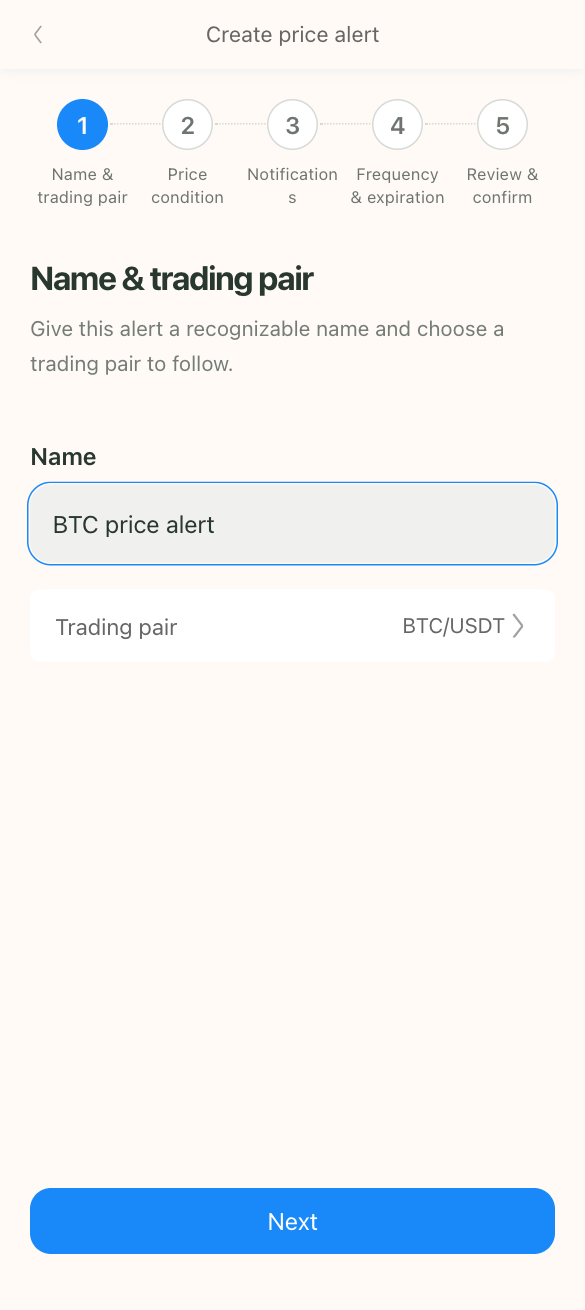
Choose a recognizable name and the exact pair, such as BTC/USDT. The quote asset is the target price unit. Changing pairs can change valid price precision; recheck any price imported from the chart.
Step 2 — Price condition
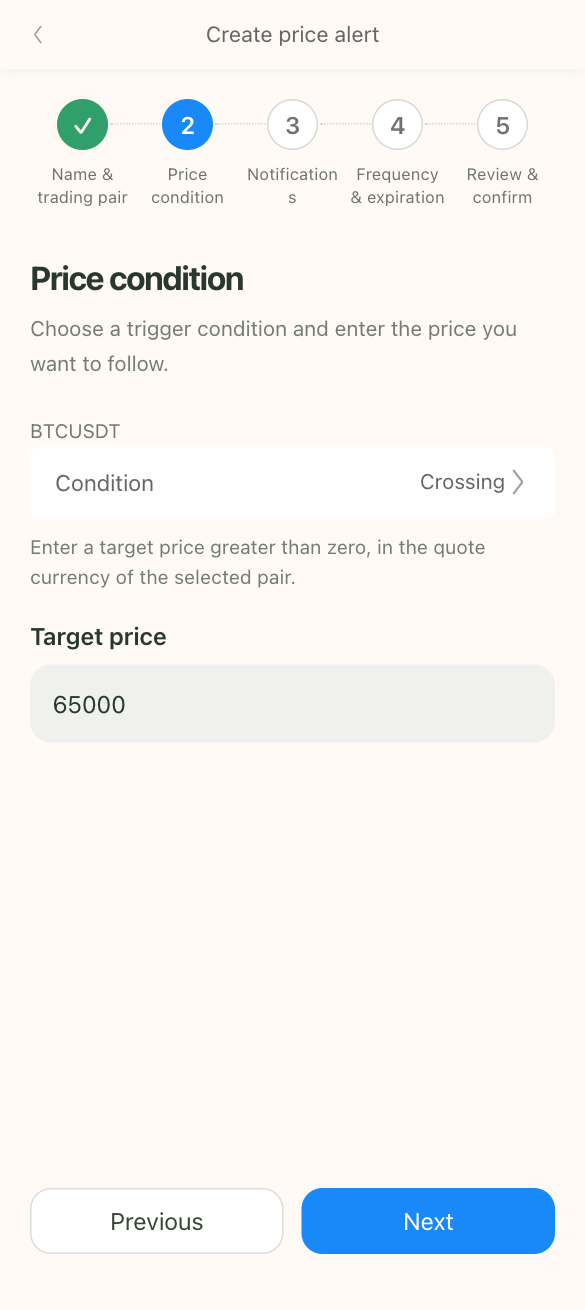
| Condition | How it is evaluated |
|---|---|
| Above | Current price is strictly greater than the target |
| Below | Current price is strictly less than the target |
| Cross above/below | Requires movement across the target, using the previous and current observations |
| Outside channel | Previous observation was inside the bounds and current price moves strictly outside; lower must be below upper |
Entering exactly the current price does not guarantee an immediate trigger. Crossing conditions need a previous observation, and delivery is subject to evaluation timing.
Step 3 — Notifications
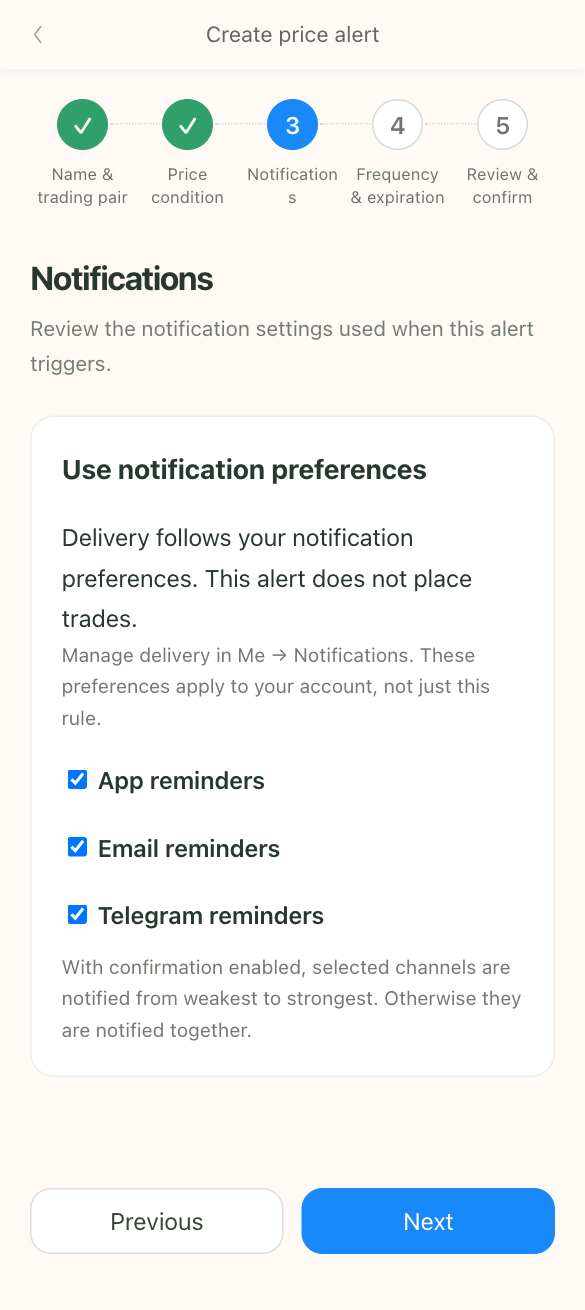
Choose eligible configured channels where per-alert selection is available. Otherwise the form uses your account notification preferences. Configure recipients in Me → Notification methods first. A disabled/unavailable channel is not repaired by selecting it in this form. See email, Telegram, Webhook and App notifications.
Step 4 — Frequency and expiration
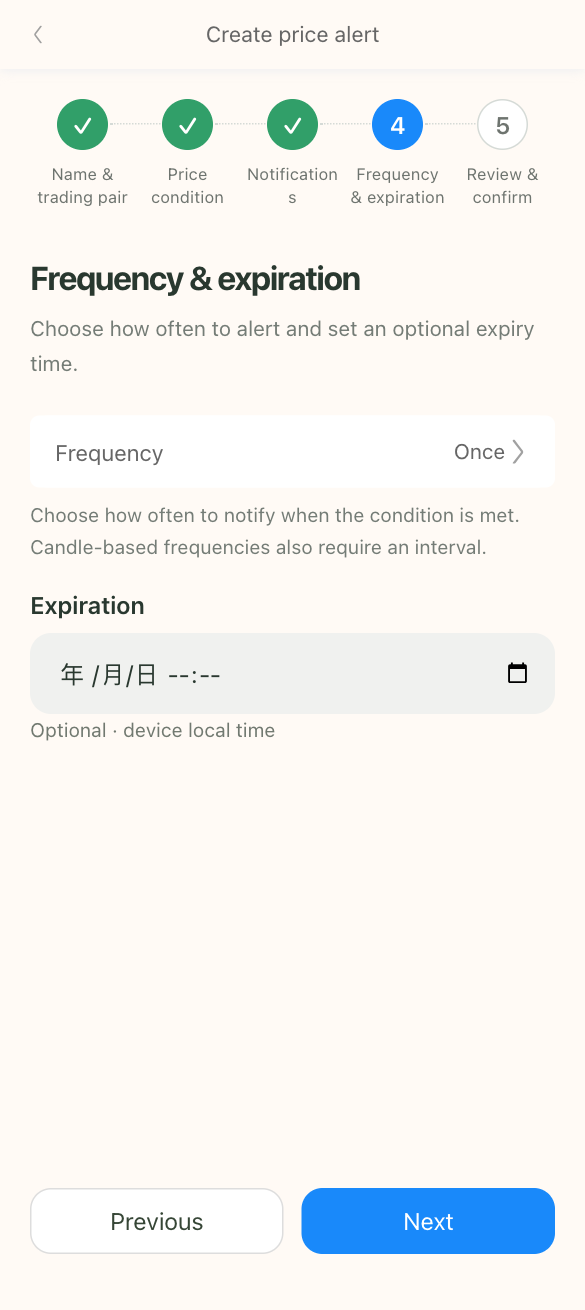
Choose the frequency shown by the form. One-time alerts stop after firing; repeated/candle-based modes can fire again according to their conditions. Candle modes require a candle interval. Expiration is optional where supported; a past expiration cannot receive future triggers. Check the local date/time shown by the picker, especially when travelling.
Step 5 — Review and save
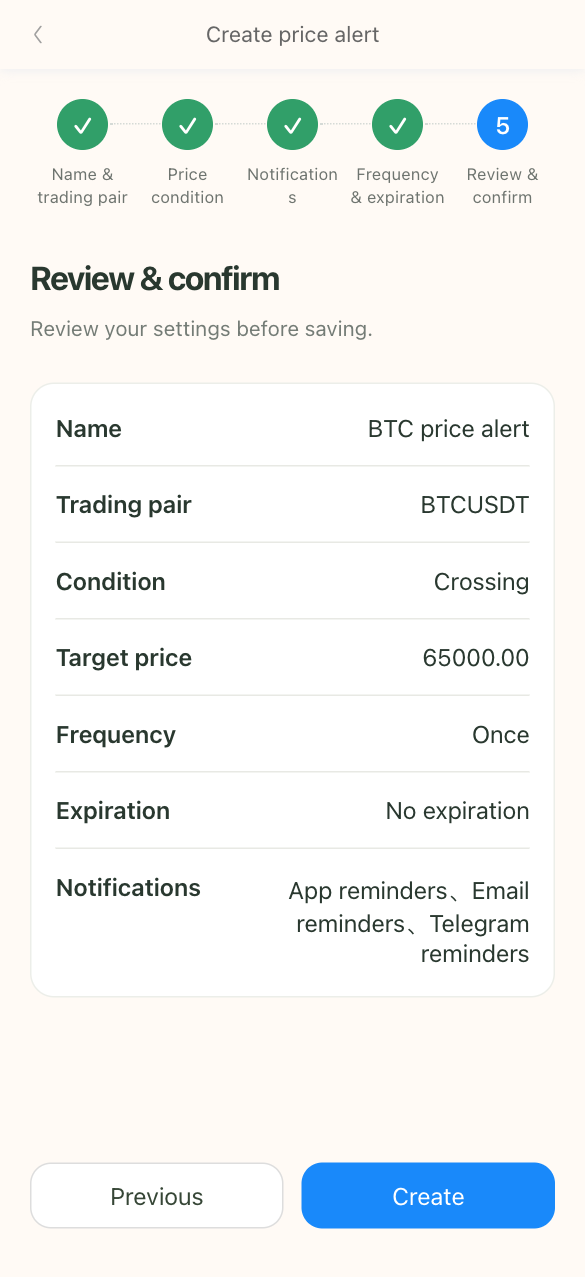
Check name, pair, condition, price/range, frequency, interval, expiration and recipients. Only the final confirmation creates the rule. After saving, verify it appears in Alerts and has the expected active state.
After a trigger
Check the inbox for the event and explicitly confirm it if confirmation escalation is enabled. Push acceptance is not proof of device receipt. For missing messages, inspect the rule state, expiration, price condition, channel settings and delivery troubleshooting.