Enable App notifications
App push is available through supported native Bitpongo builds. A normal browser session is not automatically a registered native push device.
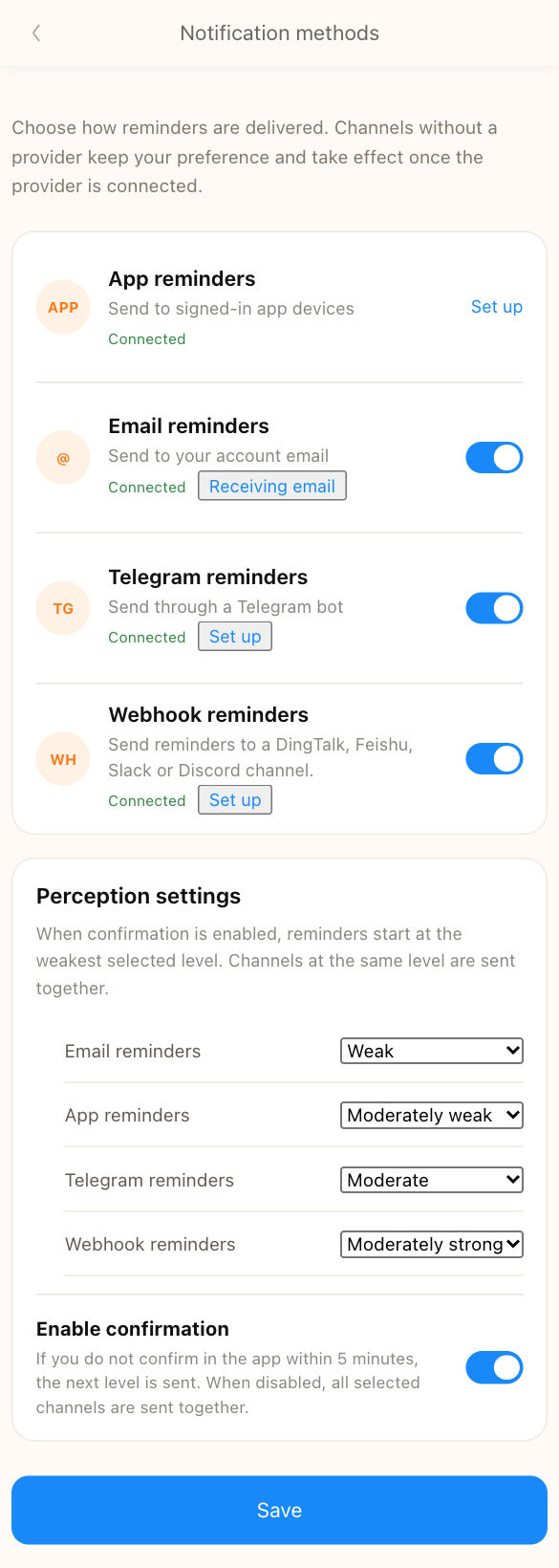
Set up this device
- Sign in inside the native App.
- Open Me → Preferences → Notification information (or the App channel's setup shortcut in Notification methods).
- Allow notifications on this device. If previously denied, open system settings and enable Bitpongo notifications there.
- Wait for device registration to complete; permission alone is not registration.
- Enable receiving notifications, select relevant event categories and save.
- Send a test notification when the button becomes available. Check Notification Center and system settings if no banner appears.
Three independent checks
| Layer | What success means |
|---|---|
| System permission | iOS/Android permits notifications |
| Device registration | This installation's token is associated with the signed-in account |
| Preferences/delivery | The event is enabled, sent and actually received |
Being signed in on another phone does not register this installation. After account changes or reinstalling, verify device setup again. Do not share push tokens when requesting help.
iOS and Android
iOS delivery uses APNs via Firebase; focus modes, notification summaries and sound settings can suppress or delay presentation. On Google Play Android builds, Google Play services and network access to Firebase are required. This project does not implement HMS Push, so a phone without usable Google services cannot be assumed to receive native push. Use another supported channel if needed.
Common problems
- Test button disabled: finish registration and save preferences first; also check server availability.
- Permission allowed but device unregistered: retry once with a stable connection, update the App and ask support for help if it remains unregistered.
- Message sent but no sound: system settings override the App sound preference; silent/focus modes still apply.
- No delivery: try email or Telegram while following troubleshooting. No channel guarantees immediate delivery.